
Structural context may sound technical, but the idea behind it is actually very simple.
You probably use structural context on websites without even realizing it. A link in the main menu helps you move to another part of the website. A link inside an article might send you to a source or a more detailed explanation. A link in the footer may provide contact information, legal pages, or other sitewide resources.
They are all links, but where they appear helps you understand what they are there to do.
That is the basic idea behind structural context. When looking at link placement, you are not only asking where the link appears. You are also looking at what part of the page it belongs to and what that part of the page is designed to do.
This is why link placement alone may not be enough to establish value.
What Does Page Structure Tell You About a Link?
Most webpages are divided into recognizable areas. There may be a header and navigation menu at the top, the main content in the middle, a sidebar or related-content area nearby, and a footer at the bottom.
Those areas perform different jobs. If you see a link labeled “Contact” in the main navigation, you immediately understand its likely purpose. If you see a link to a research paper inside an article discussing that research, the structure gives you a different explanation for why that link exists.
The physical position is only part of what you are seeing. The function of the section containing the link provides additional context.
Can the Same Link Serve Different Purposes in Different Places?
Yes. Suppose a website links to a software company from two different parts of a page. Inside a tutorial, the writer might say that the software is required for the next step and link to it directly. In the footer, the same website might display the software company’s name because it provides technology used across the site.
The destination could be exactly the same, but the links are doing different jobs. This is the difference between simply identifying a link’s position and understanding its structural context.
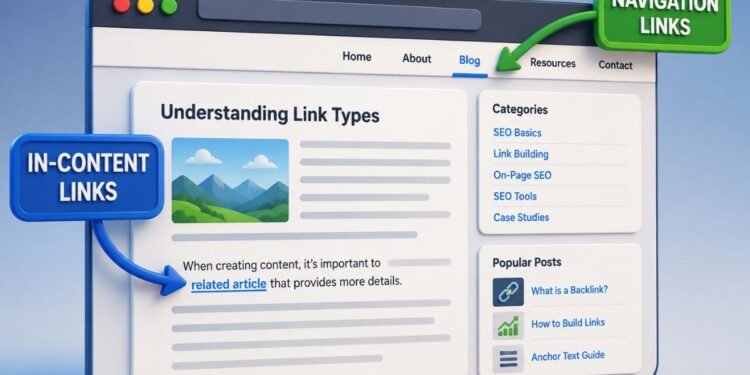
You can see another example of this distinction by comparing in-content links with navigation links.
Why Do Repeated Website Sections Matter?
Many parts of a website are repeated from page to page. Navigation menus and footers are obvious examples, but websites can also repeat author boxes, recommendation panels, sidebars, product modules, and other sections.
If a link appears in one of these areas, knowing that the section is repeated can help you understand why the same link may appear across many URLs.
What About Links in Author Bios?
An author bio is a useful example. A writer’s profile or website link might automatically appear below every article they publish because the website uses the same author box each time.
Seeing that link on 50 article URLs therefore does not necessarily mean that 50 editors independently chose to reference the writer’s website. It may simply mean that one author bio was automatically repeated across 50 pages.
That structural distinction is useful when considering whether author bio backlinks are valuable.
The same principle applies to links built into templates. A footer link can automatically appear across hundreds or thousands of pages without being separately added to each one.
This does not mean every template-based link is automatically worthless. It means that the repeated structure tells you something important about how the links came to appear across the website.
Google’s spam policies also specifically identify widely distributed links in footers or templates as a problem when those links are created primarily to manipulate search rankings.
Does Being Inside the Main Content Automatically Make a Link Better?
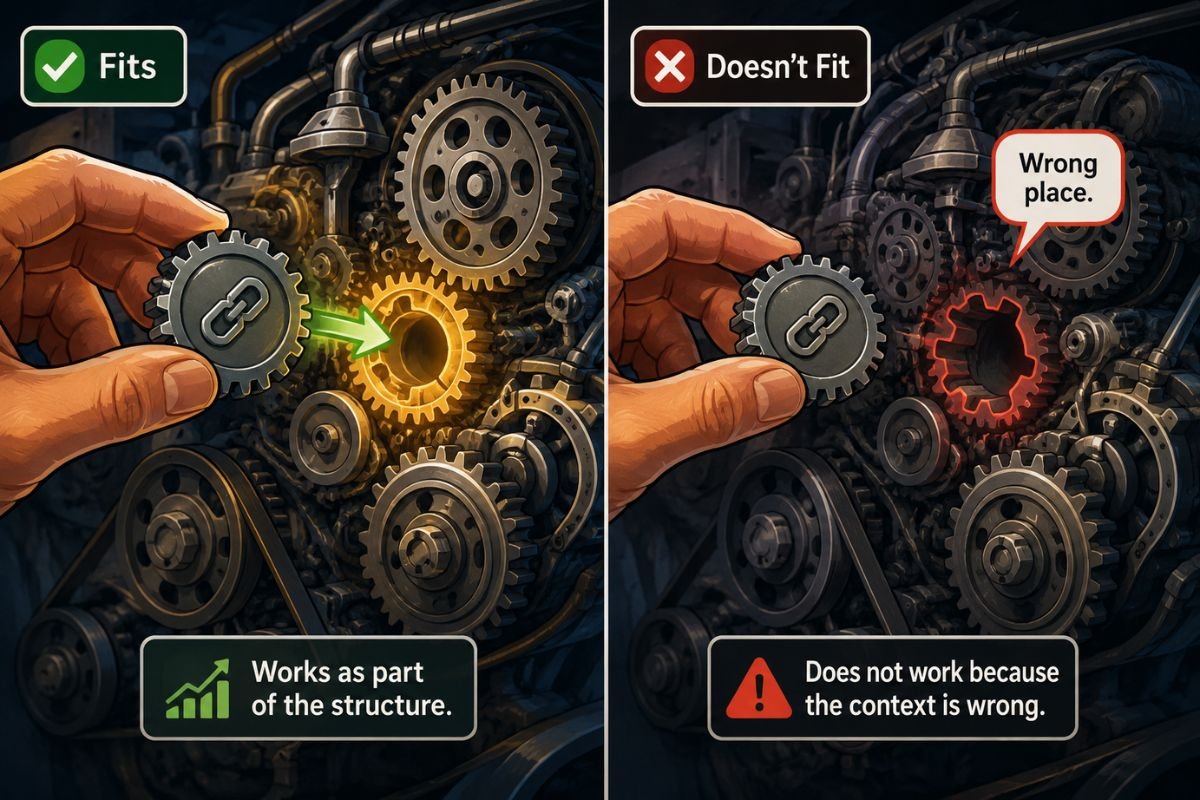
No. Structural context gives you information, but it does not turn a particular location into a guarantee of link quality.
For example, a link might appear directly in the middle of an article while having almost nothing to do with the subject being discussed. Another link might appear inside a clearly labeled resource section because that section was specifically created to help readers find useful sources.
Simply saying “this link is in the content” or “this link is in the footer” therefore leaves out part of the picture. You still need to understand what the section is doing and why the link appears there.
What Should You Look at When Evaluating Link Placement?
Start by identifying the part of the page containing the link. Is it inside the main article, navigation, an author box, a resource section, a recommendation module, or a sitewide template?
Then ask what that section is designed to do and whether the link makes sense within that function. This moves the analysis beyond a simple question such as “How high or low on the page is the link?”
That is the practical value of link placement context: the location tells you where the link is, while the surrounding structure helps explain what that location means.