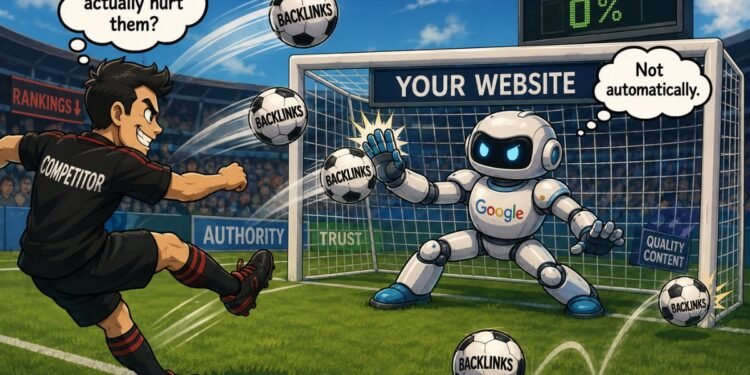


You open an SEO tool, check your backlinks, and suddenly notice that several of them have been marked as suspicious or potentially toxic.
Should you be worried?
Not necessarily.
A toxic backlink is a common SEO term for a backlink that may appear risky, spammy, artificial, or manipulative. SEO tools can help you find links with characteristics that deserve closer inspection, but a warning from a tool does not mean Google has made the same judgment.
The goal is to use the tool to narrow a large backlink profile down to the links that are worth investigating.
Start With the Warnings Inside the Tool
If your SEO tool provides a toxicity, spam, or risk indicator, it can help identify backlinks worth reviewing, including cases that may turn out to be false positive toxic backlinks.
Imagine that your website has 8,000 backlinks. Checking every one manually would be extremely time-consuming. A tool can organize the data and bring unusual links or domains to your attention first.
When you see a warning, treat it as a starting point for inspection, not a final verdict. Open the backlink and see what is actually there. Look at the page providing the link, the website behind it, the anchor text used for the link, and the reason the link appears on that page.
Look at the Website and Page Behind the Warning
Suppose a tool flags a backlink because the referring domain appears suspicious. Instead of stopping at the warning, open the website.
What do you find?
You might discover a normal website with genuine articles and an understandable reason for linking to your page. In that case, the warning alone has not told you the whole story.
You might instead find pages filled with unrelated links, automatically generated content, or material that appears to exist primarily to place links. That gives you much more useful information than the risk label by itself.
The important distinction is that low quality and manipulative are not automatically the same thing. A poorly designed website or a page with weak content can be low quality without necessarily being part of an attempt to manipulate search rankings.
Check the Anchor Text for Unusual Patterns
Next, look at the clickable words used in the backlinks. These words are called anchor text.
One unusual anchor does not tell you very much by itself. Patterns become more interesting when you look across multiple backlinks.
Suppose a website about running shoes has backlinks from many unrelated domains, and a large number of those links repeatedly use exactly the same commercial phrase. That gives you something specific to investigate.
An SEO tool can make this easier by showing the different anchor texts in your backlink profile and how frequently they appear. Instead of asking whether one anchor “looks toxic,” you can see whether unusual repetition appears across a larger group of links.
This is one of the advantages of doing backlink analysis with SEO tools: patterns that are difficult to notice one link at a time become easier to see when the data is collected together.
Use Filters to Find Patterns Faster
A backlink report can quickly become overwhelming, especially on a website with thousands of referring pages or domains. This is where filters become particularly useful.
You might sort or filter the available data by a tool’s risk indicator, referring domain, anchor text, or other information provided in the report. The exact options depend on the SEO tool you are using.
For example, if one commercial anchor appears repeatedly, you can filter the report to see which domains use it. If several suspicious links come from related domains, you can inspect those domains together rather than discovering them individually throughout a large report.
The filter is not deciding whether those backlinks are harmful. It is simply helping you move from thousands of backlinks to a smaller group that deserves a closer look.
What Should You Do After Finding a Suspicious Backlink?
Finding a suspicious backlink and deciding what to do about it are two different steps.
Before taking action, look at the evidence you have collected. Why did the tool flag the backlink? What is on the linking page? Does the link have a sensible reason to exist? Are you looking at one strange backlink or a broader pattern?
Google’s guidance is particularly important here. Google says that most websites do not need to use its Disavow Links tool because it can usually assess which links to trust without additional guidance. Google recommends considering disavowal only in more limited circumstances involving a considerable number of spammy, artificial, or low-quality links together with a manual action, or a likely manual action, related to those links.
So an SEO tool warning should not automatically become a disavow decision.