

Sunday, October 11, 2026
BacklinkSense
  • Anchor Text
    • Anchor Text Context
    • Anchor Text Distribution
    • Anchor Text Strategy
    • Types of Anchor Text
  • Backlink Quality and Analysis
    • Authority and Trust Signals
    • Backlink Analysis Tools
    • Link Context
    • Link Placement
    • Link Quality Signals
    • Link Relevance
  • Link Building Basics
    • How Google Ranks Links
    • Types of Backlinks
    • What Are Backlinks
    • Why Backlinks Matter
  • Link Building Methods
    • Asset-Based Link Building
    • Content-Based Link Building
    • Digital PR and Authority Mentions
    • Passive Link Acquisition
    • Resource and Reference Links
  • Link Building Risks
    • Link Penalties
    • Link Velocity
    • Low-Quality Backlinks
    • Over-Optimized Anchor Text
    • Unnatural Link Patterns
  • Link Outreach
    • Finding Outreach Targets
    • Follow Up in Outreach
    • Outreach Email Strategies
No Result
View All Result
  • Anchor Text
    • Anchor Text Context
    • Anchor Text Distribution
    • Anchor Text Strategy
    • Types of Anchor Text
  • Backlink Quality and Analysis
    • Authority and Trust Signals
    • Backlink Analysis Tools
    • Link Context
    • Link Placement
    • Link Quality Signals
    • Link Relevance
  • Link Building Basics
    • How Google Ranks Links
    • Types of Backlinks
    • What Are Backlinks
    • Why Backlinks Matter
  • Link Building Methods
    • Asset-Based Link Building
    • Content-Based Link Building
    • Digital PR and Authority Mentions
    • Passive Link Acquisition
    • Resource and Reference Links
  • Link Building Risks
    • Link Penalties
    • Link Velocity
    • Low-Quality Backlinks
    • Over-Optimized Anchor Text
    • Unnatural Link Patterns
  • Link Outreach
    • Finding Outreach Targets
    • Follow Up in Outreach
    • Outreach Email Strategies
No Result
View All Result
BacklinkSense
No Result
View All Result

Home - Link Building Risks - Link Penalties - How to Recover from a Link Penalty?

Illustration of a damaged backlink being examined and repaired to show how to Recover from a Link Penalty using backlink analysis and corrective actions.

How to Recover from a Link Penalty?

Backlink Sense by Backlink Sense
February 22, 2026
in Link Penalties
Reading Time: 5 mins read
Share On FacebookShare On Reddit

Page Contents

  • 1. Start With the Manual Actions Report
  • 2. If Unnatural Backlinks Are the Problem, Find the Links You Created
  • 3. What If You Cannot Get Some Backlinks Removed?
  • 4. Request a Review After Fixing the Problem
  • 5. What If There Is No Manual Action?
  • 6. Does Removing a Link Penalty Restore Your Old Rankings?

The term link penalty can sound broader than it usually is in SEO. A website contains many kinds of links, including links between its own pages and links that send visitors to other websites, so the name itself does not immediately tell you which kind of links we are talking about.

But when people in SEO talk about recovering from a link penalty, they are usually talking about a problem involving backlinks, which are links from other websites pointing to yours, and especially links that may have been created to manipulate Google Search rankings.

That gives us a much clearer starting point. Recovering from a link penalty is not about going through every link on your website and trying to decide which ones look suspicious. It is about first finding out whether Google has actually taken action against your site because of unnatural backlinks, and then dealing with the links responsible if it has.

A drop in rankings alone does not prove that this has happened. If Google has applied a manual action for unnatural links to your site, you can see it in the Manual Actions report in Google Search Console. If there is no manual action, you should not automatically assume that backlinks caused the decline or that you are dealing with an “algorithmic link penalty.”

From there, the recovery process becomes much easier to understand because the first question is no longer simply “How do I remove bad links?” It is “What kind of link problem am I actually trying to recover from?”

Start With the Manual Actions Report

Open Google Search Console and check the Manual Actions report.

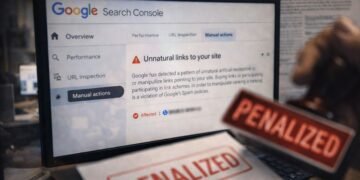
If Google has taken manual action because of unnatural links pointing to your site, the report tells you that Google has detected a pattern of unnatural, artificial, deceptive, or manipulative links. This gives you something specific to investigate rather than asking you to guess why your rankings changed.

Google can also take manual action over unnatural links from your site. These are outgoing links on your own pages rather than backlinks pointing to you. If that is the issue shown in Search Console, the links you need to investigate are different.

This is why identifying the problem comes before trying to fix it. Our comparison of manual and algorithmic link penalties explains this distinction in more detail, but for recovery the important point is simple: follow the problem Google actually shows you rather than diagnosing a link penalty from a ranking drop alone.

If Unnatural Backlinks Are the Problem, Find the Links You Created

If the manual action concerns unnatural links pointing to your site, the next step is to look for backlinks that violate Google’s spam policies.

This does not mean treating every unfamiliar backlink as harmful. Start with the links connected to practices you or someone working on the site actually used. For example, if links were bought or created through another arrangement intended to influence rankings, those links deserve much more attention than a random backlink you simply do not recognize.

Google recommends reviewing the links pointing to your site and contacting the owners of sites carrying links that violate its spam policies. You can ask for those links to be removed or changed so they no longer pass PageRank, such as by using rel="nofollow" or another appropriate attribute.

Keep a record of what you tried to remove and what happened. That information becomes useful when you later ask Google to review the site.

What If You Cannot Get Some Backlinks Removed?

You may contact a website and receive no reply, or the owner may simply refuse to remove the link.

This is where Google’s disavow tool can become relevant. It allows you to tell Google not to take particular backlinks into account when assessing your site.

But the tool is not a general backlink cleanup button. Google says that most websites do not need to use it and warns that using it incorrectly can harm a site’s performance in Google Search. Google recommends it when there are a considerable number of spammy, artificial, or low-quality backlinks and those links have caused, or are likely to cause, a manual action.

For an existing manual action involving unnatural backlinks, Google recommends making a good-faith effort to remove the problematic links first and using the disavow tool for links you cannot get removed.

Request a Review After Fixing the Problem

Once you have dealt with the links behind the manual action, you can return to the Manual Actions report and select Request Review.

A reconsideration request is your opportunity to explain what happened and what you did to correct it. For an unnatural-links action, Google specifically asks for documentation about links you removed and an explanation of links you could not remove.

The important part is not making the request sound persuasive. It is showing clearly that you understood the problem and corrected it.

Google then reviews the site again. If it determines that the site no longer violates its spam policies, it can revoke the manual action. The review is not instant. Google says most reconsideration reviews take several days or weeks, and link-related requests can sometimes take longer.

You can learn more about this specific situation in our guide to a manual link penalty.

What If There Is No Manual Action?

This is where recovery becomes less straightforward.

If Search Console does not show a manual action, a ranking decline by itself is not enough to conclude that you have an algorithmic link penalty. Rankings can change for many reasons, so starting a large backlink cleanup simply because suspicious-looking links exist can send you in the wrong direction.

Instead, investigate the ranking decline itself. Look at what changed, which pages and queries were affected, when the decline began, and whether there is evidence that links are actually connected to the problem.

This distinction also changes what “recovery” means. There is no reconsideration request for an ordinary algorithmic ranking decline because there is no manual action for Google to revoke. Our guide to whether algorithmic penalties can be reversed looks more closely at recovery when automated ranking systems rather than a manual action are involved.

Most importantly, do not use the disavow tool simply because there is no manual action and you are looking for something to fix. Google says most sites do not need the tool.

Does Removing a Link Penalty Restore Your Old Rankings?

Not necessarily.

Removing a manual action means Google has determined that the site is no longer violating the relevant spam policies. It does not promise that every page will return to the position it held before.

That difference is especially important when some of the old performance came from links that were created to manipulate rankings. Fixing those links removes the violation, but there is no reason to assume that the ranking benefit those links were intended to create will come back with it.

So once the manual action has been resolved, there is no need to replace removed backlinks as quickly as possible or try to recreate the old link pattern. The recovery process has already done its job: the link problem identified by Google has been corrected.

Tags: Disavow strategyGoogle manual actionSEO risk management
ShareShareShareShareSend

Related Posts

Anchor Text Distribution

How Much Exact Match Is Too Much?

by Backlink Sense
March 3, 2026
Link Prospecting Mistakes to Avoid
Finding Outreach Targets

Common Link Prospecting Mistakes to Avoid: Execution-Level Errors

by Backlink Sense
February 28, 2026
Backlink Analysis Tools

Detecting Fake Positive Toxic Backlinks

by Backlink Sense
June 12, 2026
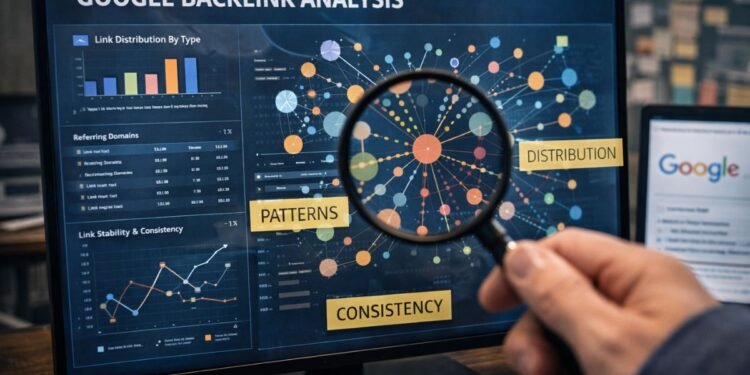
Google backlink analysis dashboard examining link patterns, distribution, and consistency to illustrate how Google Evaluate Backlink Patterns across a backlink profile.
Unnatural Link Patterns

How Does Google Evaluate Backlink Patterns?

by Backlink Sense
February 9, 2026
A visual comparison explaining How Do I Create Backlinks, contrasting links earned through valuable content with backlinks built through active outreach.
Content-Based Link Building

How Do I Create Backlinks?

by Backlink Sense
February 8, 2026
Load More
  • About Us
  • Terms of Use
  • Use of Cookies
  • Affiliate Disclosure
  • Contact
  • Privacy Policy
2026 BacklinkSense © All rights reserved.

Welcome Back!

Login to your account below

Forgotten Password?

Retrieve your password

Please enter your username or email address to reset your password.

Log In

Accessibility Toolbar

  • Powered with favoriteLove by Codenroll
No Result
View All Result
  • Anchor Text
    • Anchor Text Context
    • Anchor Text Distribution
    • Anchor Text Strategy
    • Types of Anchor Text
  • Backlink Quality and Analysis
    • Authority and Trust Signals
    • Backlink Analysis Tools
    • Link Context
    • Link Placement
    • Link Quality Signals
    • Link Relevance
  • Link Building Basics
    • How Google Ranks Links
    • Types of Backlinks
    • What Are Backlinks
    • Why Backlinks Matter
  • Link Building Methods
    • Asset-Based Link Building
    • Content-Based Link Building
    • Digital PR and Authority Mentions
    • Passive Link Acquisition
    • Resource and Reference Links
  • Link Building Risks
    • Link Penalties
    • Link Velocity
    • Low-Quality Backlinks
    • Over-Optimized Anchor Text
    • Unnatural Link Patterns
  • Link Outreach
    • Finding Outreach Targets
    • Follow Up in Outreach
    • Outreach Email Strategies

2026 BacklinkSense © All rights reserved.

This website uses cookies to improve your experience and analyze site performance. By continuing to browse, you agree to our Privacy and Cookie Policy.